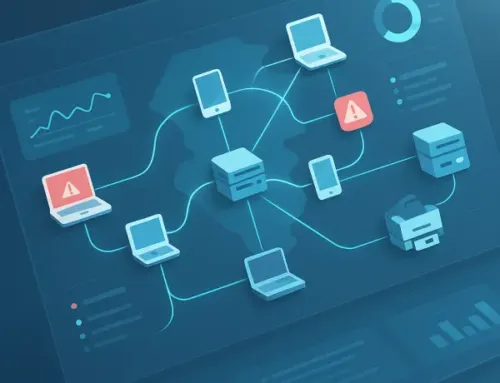
What Happens to Your Office When the Internet Goes Down?
When your office internet goes down, most of the tools your team uses stop with it: email, cloud apps, internet phones and card payments. People can still turn on their computers, but they can’t reach the systems that hold their actual work. The way to keep working is a backup connection that takes over on its own, like 5G backup internet, so an outage becomes a footnote instead of a lost afternoon.
Why an outage hurts more than it used to
Not long ago, a lot of offices kept their software and files on a server in a back closet. If the internet dropped, people could still open files, print and get work done. Email waited.
That’s changed. Most offices now run on the cloud, which just means the software and files live on someone else’s servers and you reach them over the internet. Your email, your scheduling system, your accounting software, your shared drive and maybe your phones all depend on that one connection. It’s convenient and it’s usually reliable. But when the line goes down, everything that depends on it goes down together.
What stops when the connection drops
Here’s what most offices lose the moment the internet goes out:
- Email. You can’t send or receive. Messages wait on the server until you’re back online, which is fine for a newsletter and less fine for a client waiting on a signed document.
- Cloud apps and files. Practice management, billing, CRM, document storage, scheduling and anything else you log into through a browser. If it lives in the cloud, it’s out of reach.
- Phones. If your phones run over the internet (often called VoIP, short for voice over internet protocol), they can go silent too. Depending on how your phone system is set up, callers may hear a busy signal, ring through to nothing or land in voicemail.
- Card payments. Card readers that run over the internet can’t approve transactions. That matters if you collect copays, retainers or payments at the front desk.
- Video calls and remote access. Meetings drop, and anyone working from home who connects into the office loses that connection too.
What usually keeps working: your office Wi-Fi and the network inside the building. Devices will still show a Wi-Fi signal, and a printer on the local network can still print a file that’s saved on a computer. That’s why an outage can be confusing at first. The Wi-Fi bars look fine, but nothing loads.
What an outage costs you
The cost isn’t only the minutes the line is down. It’s everything that happens around it:
- Staff sitting idle, or scrambling to work from their phones
- Clients or patients waiting at the front desk while you try to pull up their records
- Calls that never reach you, from people who may not call back
- Someone on your team stuck on hold with the internet provider instead of doing their job
For a multi-location business, multiply that by however many sites are affected. And most outages don’t come with a warning or a time estimate, so it’s hard to plan around them.
How 5G backup internet keeps you working
5G backup internet gives your office a second connection that runs over a cellular network instead of the cable or fiber line coming into the building. If the main internet drops, the cellular connection takes over automatically. Email keeps flowing, cloud apps stay open and card payments keep going through.
Nobody has to unplug anything, call anyone or remember a workaround. For most outages, your team just keeps working. When the main line comes back, the network switches back to it on its own.
We also get notified both times: when your office switches to the backup and when it switches back. So we know about the outage and can start on it, even if nobody in your office noticed.
With SERVD I.T., 5G backup internet is an add-on to our managed network plans, and it’s one we recommend for every customer. The cellular service is billed separately from your plan. Like the rest of your setup, we quote it based on what your office actually needs.
Where the rest of SERVD I.T. fits in
Backup internet keeps you running. The rest of the program is there to find the problem and get your main line fixed.
Every SERVD I.T. plan includes 24/7 monitoring of your network, so problems usually get caught before anyone on site notices. We deal with your internet provider for you, so nobody in your office has to sit on hold explaining the issue. And you get a monthly report on how your network is doing.
If you need to talk to someone, live help is available 8 AM to midnight Eastern, seven days a week, from our US based call center staffed by Tier 2 technicians.
What to do before the next outage
You don’t need to wait for a bad day to get ready. A few things worth doing now:
- List what’s in the cloud. Know which of your systems need the internet to work. That’s the list of what stops.
- Know who to call. Keep your internet provider’s support number and your account number somewhere everyone can find them, or hand that call to a provider who’ll make it for you.
- Check how your phones handle an outage. Ask your phone provider whether calls can forward to cell phones automatically when the office line is down.
- Add a backup connection. This is the step that keeps work moving instead of just making the wait easier.
- Get a second set of eyes on your network. If you’re not sure how your office would hold up, our free health check rates your internet and backup connection along with the rest of your setup.
An internet outage is one of several things that can stop your business for a day. Our post on why your business needs a disaster recovery plan covers how to plan for the rest.
Quick answers
Does Wi-Fi work when the internet is down?
If you have a backup internet connection, yes. Your Wi-Fi keeps working as normal because the backup takes over. Without one, the Wi-Fi signal stays on and devices still connect to it, but they can’t reach email, websites or cloud apps.
Can’t we just use a phone hotspot?
A hotspot can get one person through a short outage. But its range is small, it may eat through your data depending on your phone plan, and someone has to set it up by hand. It won’t keep a whole office and your card readers running.
Is 5G backup internet included in SERVD I.T.?
It’s an add-on. We recommend it for everyone, and the cellular service is billed separately.
Find out how your office would hold up
The easiest way to know what an outage would do to your office is to check before one happens. Our free remote IT health check looks at five areas, including your internet and backup connection, and rates each one Pass, Review or Action needed. You get a plain English report on what’s working, what’s at risk and what to fix first. No cost, no commitment, and the report is yours to keep.
Book your free IT health check or call (310) 734-2572.